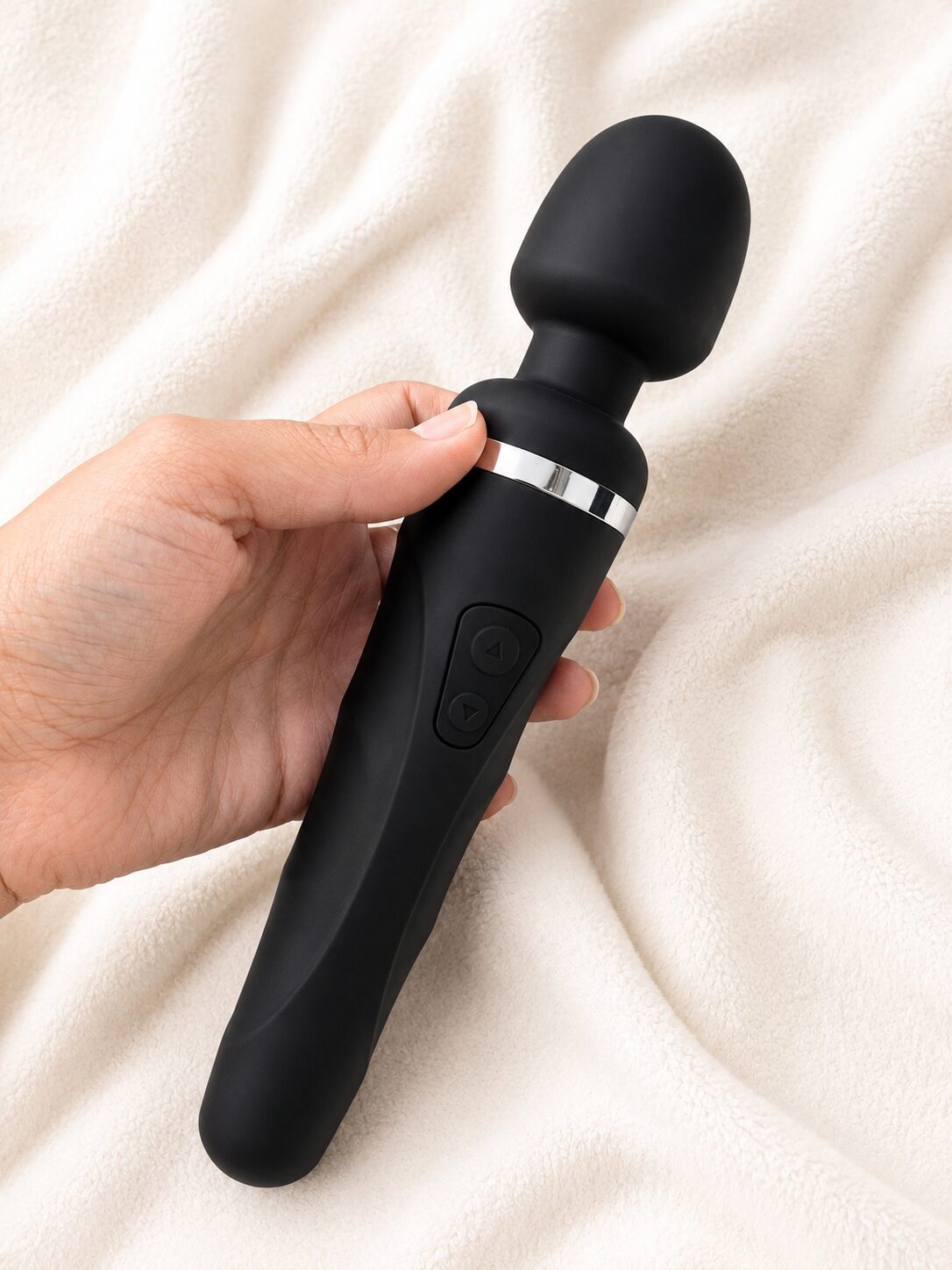
Some of the following products were provided free of charge for inclusion in this Best App-Controlled Sex Toys For Long Distance Couples round up. You can get 20% off at Lovehoney UK and Lovehoney US using the code SEXTOYREVIEW20 – Be sure to check out our other sex toy discount codes.

App-controlled sex toys are hugely popular in 2026. Whether you’re into the idea of a little public sex play, or you’re a couple in a long distance relationship, it’s a nifty invention. Whip out your phone and you can control your partner’s sex toy from across the room, across the country, or, if you’re both committed enough, across time zones while one of you is pretending to pay attention in a meeting.
In reality though, app-controlled sex toys can be a bit of a mixed bag.
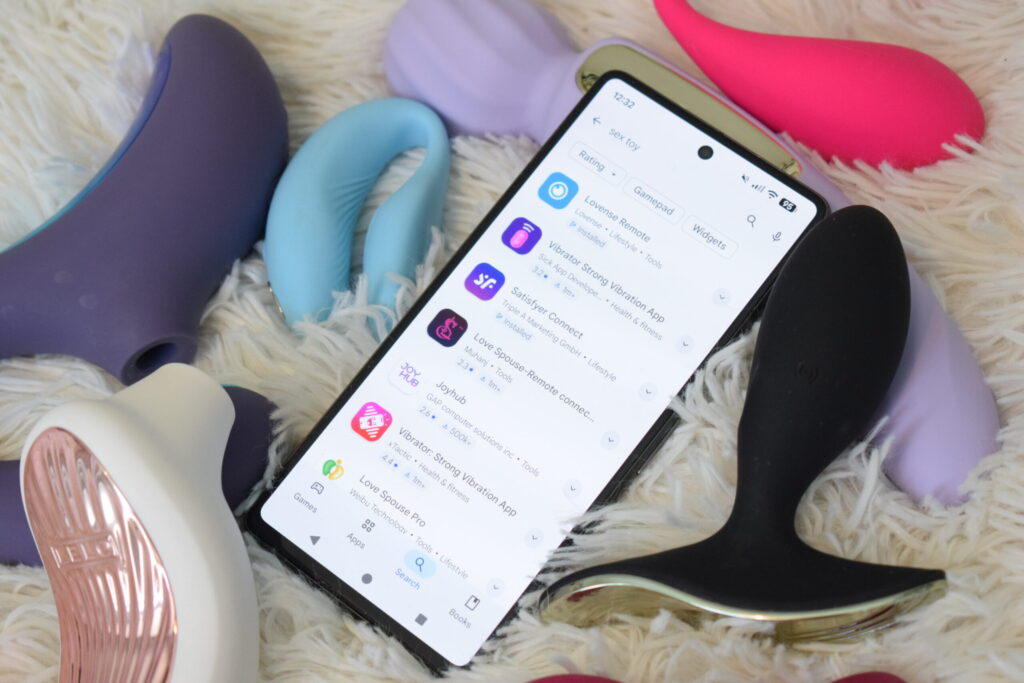
There are so many to choose from; even dodgy Chinese knock-off sex toys promise app controls these days. Unfortunately, despite some eye watering price tags, the premium brand name apps can still differ wildly in quality. Some connect instantly and just work, and others are packed full of weird ads, make you set up an account, verify your email, sacrifice a small part of your soul, and then disconnect the second things get interesting.
So instead of repeating marketing claims, we’ve actually downloaded a load of apps, and tested a whole range of different app-controlled sex toys to see what we’d recommend as the best app-controlled sex toys for long distance couples.

NB: I have an Android phone and my partner has iPhone, so we’re testing it from all angles here.
We will be adding more to this guide as we review new sex toy apps.
Prefer something to hold? See our recommendations for sex toys with physical remote controls here.
- Quick Comparison: Which Sex Toy App Is Best?
- What Actually Matters With App-Controlled Sex Toys
- Remote Control Sex Toy Apps for Long Distance Couples, Rated
- 1. Satisfyer Connect App 2026 Review
- 2. LELO Sex Toy App 2026 Review
- 3. Lovense Remote App 2026 Review
- 4. We-Vibe App 2026 Review
- 5. Autoblow AI Ultra App Review
- 6. Svakom App 2026 Review
- 7. Magic Motion App Review
- 8. Love Spouse App (CalExotics) Review
- 9. Monster Pub Monster Party App
- Best App-Controlled Sex Toys for Different Situations
Quick Comparison: Which Sex Toy App Is Best?
For long-distance couples, I’d buy Lovense. The more app controlled sex toys I try, the more they become the obvious choice. Choose the Lush 4 for internal stimulation, The Ferri panty vibe for external wearable play, or the Domi 2 wand if subtlety is absolutely not the objective.
Brand & Toy Tested | App Quality | Setup & Connection | Controls & Usability | Features | Long Distance | Verdict/10 | Price & Where to Buy |
|---|---|---|---|---|---|---|---|
Satisfyer – Pro 2 Gen 3 | Simple & slick | Can connect locally without account – account needed for long distance. Connecting toys simple | Very easy – control vibration and airpulse with fingers | Some (IMO) unnecessary features incl meditation but basics are there | Find partner via nickname. Stable connection. Has video chat | 8 (clean, does what you need it to) | Around £70 Buy here |
Polished & professional | Have to register. Connecting toys simple | Easy although doesn’t tell you what the modes are | Has what you need to control toys locally | Create room & send to partner. Did not experience disconnection. No video chat | 7 (no video chat) | From £99 Buy here | |
Looks OK, has ads. Busy interface | Have to register. Connecting toys simple | Controls are easy | Lots of arguably pointless features | Excellent – has in-app video chat and couple sync etc | 8.5 (loses points for ads) | ||
Great | Easy & no account needed | Could not access patterns for Nova 2 | Just controls & long distance | Let it down – no feedback and didn’t work as expected | 5 (lots of bugs) | ||
Autoblow – AI Ultra | Very good | Easy but account required | Much easier than on machine | Synced porn, AI chatbots, local & LD control | Provide token to partner to give control. No video chat | 6 (not really made for long distance) | |
Svakom – CiCi + 2 | Great – very clean | No account required | Very easy to use | Just controls! | No account required. Video chat can be finnicky. | 8 (clean app, connects well, no registration) | |
Magic Motion – Vini | OK | No account required | Fine – always opens on music though | Music mode, free control, games, remote control | No account required but no video chat or feedback | 5 (it’s OK, but not polished. No video chat) | RRP £63 Buy Magic Motion Vini |
CalExotics –Connect Venus Butterfly | Chaotic | Hidden binding code, confusing setup | Basic controls, no battery % or connection indicator | AI chat, strangers, virtual gifts, video calls | Technically yes, but did not trust enough to test | 2 (poor, untranslated Chinese warnings. Difficult set up) | |
Good | Setup doesn’t require email. Instant connection | Manual control is under the ‘draw’ section, but the app works | Various controls, community section is odd! | Pretty useless. Control works fine, but there’s no live messaging. | 5 (let down by long distance) | RRP £67 Buy Monster Pub Hulu |
What Actually Matters With App-Controlled Sex Toys
Before we get into brands and dissecting performance, here’s what we think matters when it comes to app controlled sex toys:
1. First Impressions & App Quality
Does downloading this long distance sex toy app make you feel slightly nervous, or does it look professional and reassuringly like it probably won’t steal all your data? Is it littered with p*rn or adverts or is it streamlined and sleek?
2. Ease of Setup & Connection Reliability
Some apps let you connect instantly. Others make you register, verify emails, and stay logged in just to use basic features. It’s a small thing, but it makes a big difference in how often you’ll actually use it. Similarly, if you can’t connect reliably or it disconnects mid-use, it’s over.
3. Controls & Usability
Are the controls intuitive? Or do you have to watch an instructional video to work out how to operate a vibrator?
4. Features
Music sync. Ambient sound. Meditation modes. Pattern store. Stamina builder. Tetris (really); the apps have it all. Some are fun. Some are entirely pointless and probably just there to justify the app creator’s existence.
5. Partner/Long Distance Control
Not all ‘remote’ toys actually work remotely; some you can use from across the world, and some barely across the room. If your partner can’t connect and control your toy with ease, then it seems like a poor excuse for a remote app.

Remote Control Sex Toy Apps for Long Distance Couples, Rated
Here’s the in-depth analysis of each sex toy app we’ve tested.
1. Satisfyer Connect App 2026 Review
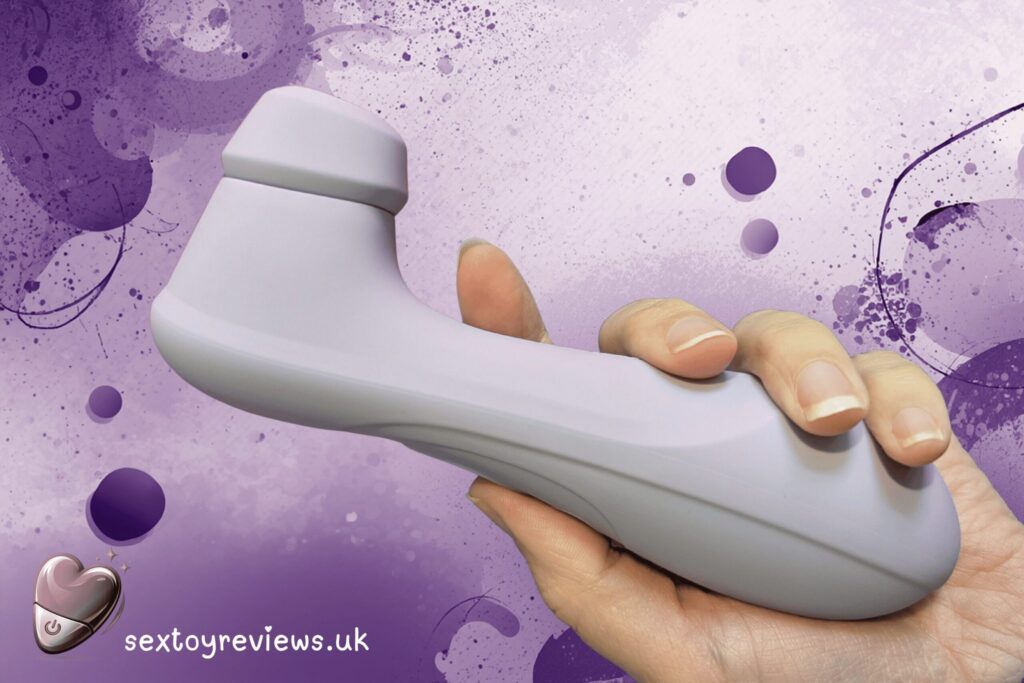
One of the biggest upgrades to the third generation Satisfyer Pro 2 is the addition of Bluetooth connectivity. I can’t tell you why it has one solitary review on the app store compared to almost 26,000 on Google Play, but the reviews are pretty good. A promising start!

App Quality
The app looks good; it’s slick and professional, and ad-free. A far cry from the p*rn littered metaXsire app the Bobo Boa toy connected to, and I deleted immediately whilst hoping I didn’t have some kind of ransomware downloaded to my phone.
Setup & Connection
Setup for the Satisfyer Connect app is straightforward and it connected to the toy quickly with no issues.
You don’t need to sign up to control your own toy via Bluetooth, but you need an account if you want to use partner features or the community, which is standard but still mildly annoying. It does keep you logged in, though.
Controls & Usability
This is where it does well; the live touch controls are pretty intuitive. To control the Satisfyer Pro 2 Gen 3, you slide your finger to adjust both vibration and suction in real time, which makes it one of the easier apps to use mid-session. It’s fairly basic but it does what it needs to do.
Features
- Program play (Custom patterns): Use a pre-programmed pattern. I always talk about how I hate patterns, but if you like them, this is your moment to shine. You can also save your own patterns if you find something that really worked for you.
- Ambient sound mode and music vibes: Your toy can work in time to an uploaded song or a mysterious WhatsApp voicenote from 2022, or can be set to work in sync with the noise around you. Interesting, but didn’t do much for me.
- Meditation mode: This mode exists. Not entirely sure why. I don’t want to have a wank to a breathy American lady telling me a story, maybe others do.
- Remote play: For partner mode (see below).
- Community uploads: Are you community minded? If you want to upload your custom patterns for anyone to download, you can do so here. Or, you can download someone else’s. I’m not sure it did much for me, but thanks ‘assgirl66’.
Remote Play Long Distance Control
This is pretty simple. You create a nickname, then you partner searches for you and connects. They can then control your toy and chat, and video call, within the app. It stays connected, and in testing there was no noticeable lag, even when controlling it remotely. It’s alarmingly easy.
Verdict
A remarkably good entry point, particularly for a more budget brand. The Satisfyer app is easy to use, not fiddly or cluttered, and although there are features you’re unlikely to use I don’t think it’s missing anything major. Score: 8/10
Where To Get The App
Where To Buy The Toy
2. LELO Sex Toy App 2026 Review
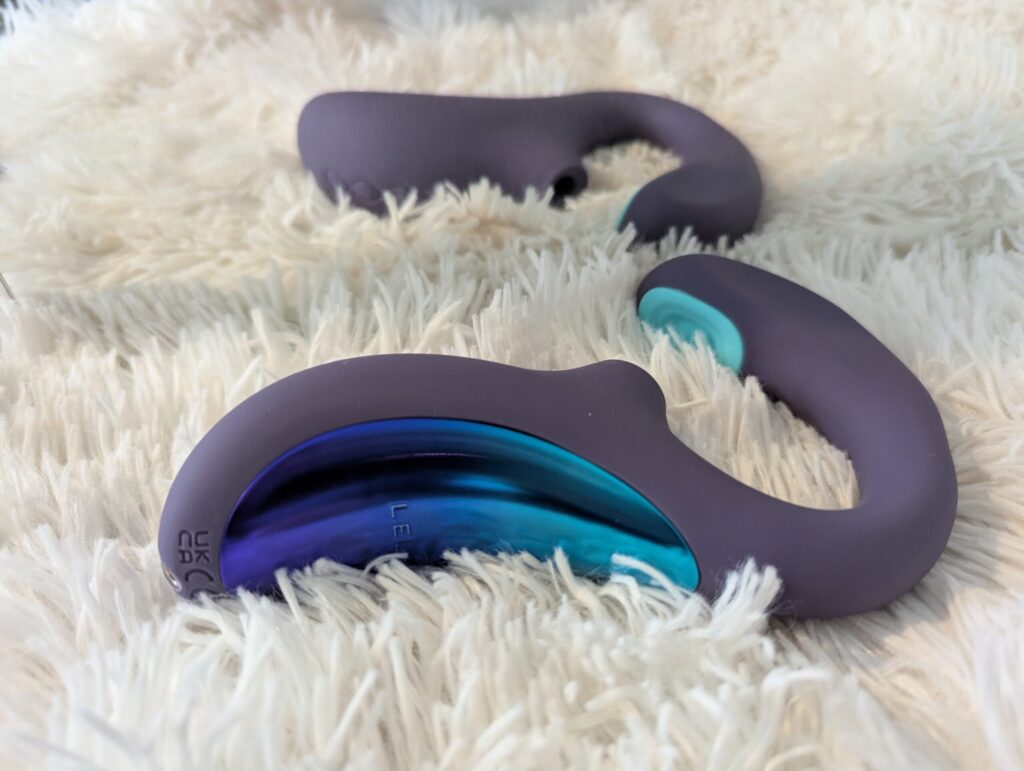
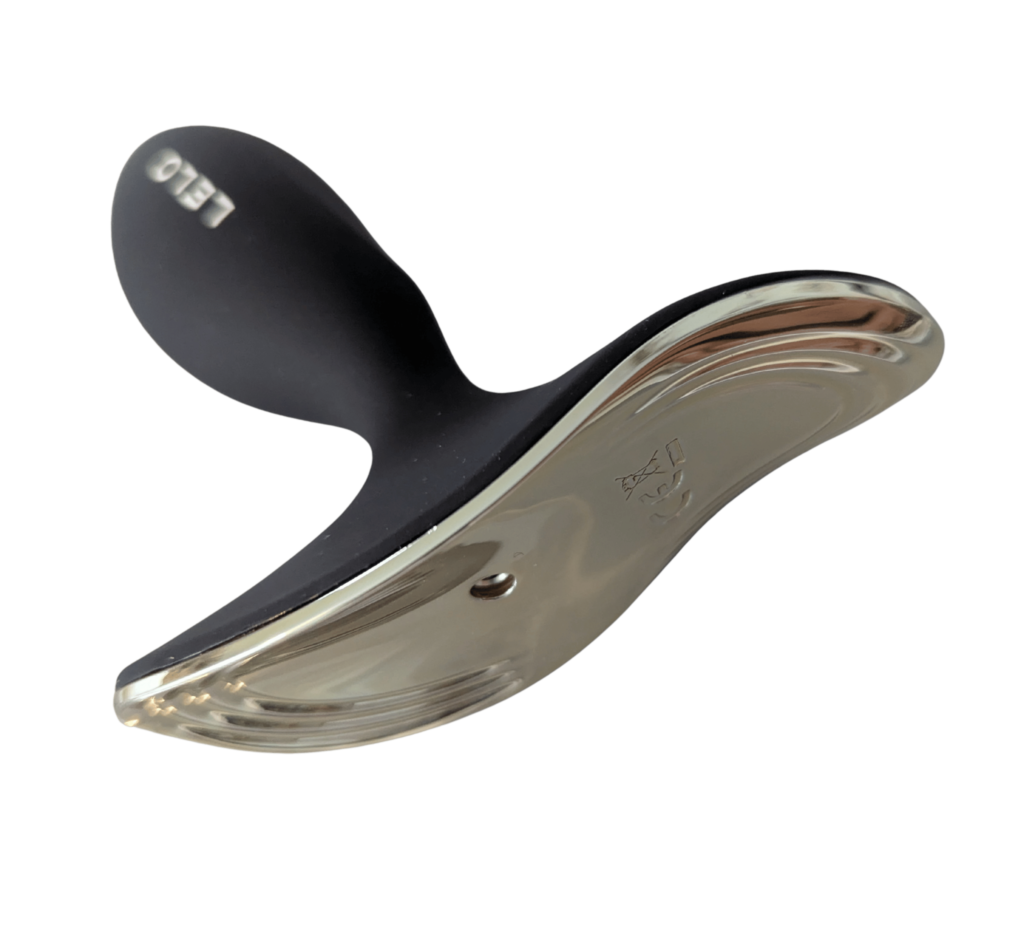
The LELO App is a nice to have for some toys (eg the Switch wand, the SONA 3 air pulse toy, the Enigma Double Sonic) and an absolute must have for others like the Surfer 2 vibrating butt plug which, thanks to the placement of the button on the plug itself, you need in order to change the vibration modes in-use.


App Quality
Although it looks premium and is ad and nonsense-free, the reviews on this one are pretty dire; a 3/5 on Google and loads of scathing reviews. Let’s see how it goes.
Setup & Connection
Set up is pretty easy, but you have to give them your details and you’re automatically opted into marketing emails, which feels unnecessary. I already have the toy, I don’t want to buy another. *Unsubscribed*. You may have to log in each time – spare the hassle and use a Google login; create a throwaway one just for sex toy apps if you need to.
Controls & Usability
Despite the less than glowing reviews, the connection has been reliable across all of my toys with no connection issues. Maybe I am one of God’s chosen few, or maybe it’s because I’m using the newest version of the toys with the most recent app. So far, plain sailing.
Features
- My Toy: Lists all your toys so you can select which one you want to use, and control it from within the app choosing the mode and intensity, and accessing the two app-only modes; Finish Me Off – gradually builds intensity to a strong climax (not really for me, to be honest) and Out Of Control – unpredictable stimulation patterns (very annoying).
- Training: If you have the F2S male masturbator, this is the ‘stamina training’ hub. We don’t, so no idea what’s here.
- Love Bridge: Long distance remote control.
Love Bridge Long Distance Control
The Love Bridge section of the app is one the best and easiest long distance remote controls to set up. To use Love Bridge on the LELO App:
- Connect your toy, then create a room
- Share your code with your partner
- Partner joins using your code
- They can then control your toy, and use the chat feature.
Done. No faff. The only issues are the fact that if your partner goes out of the app for too long they may have to re-join the room, and that, unlike the control mode, the pattern names don’t tell you what they actually do. They’ll see things like: “Thrilling” and “Teasing” but …but with no indication of what that actually means. Is it a pattern? Suction, vibration, or both? It’s oddly vague for an otherwise polished app.
There is a secure chat, but no option to video chat, so it’s great from across a room but maybe less so across a country.
Verdict
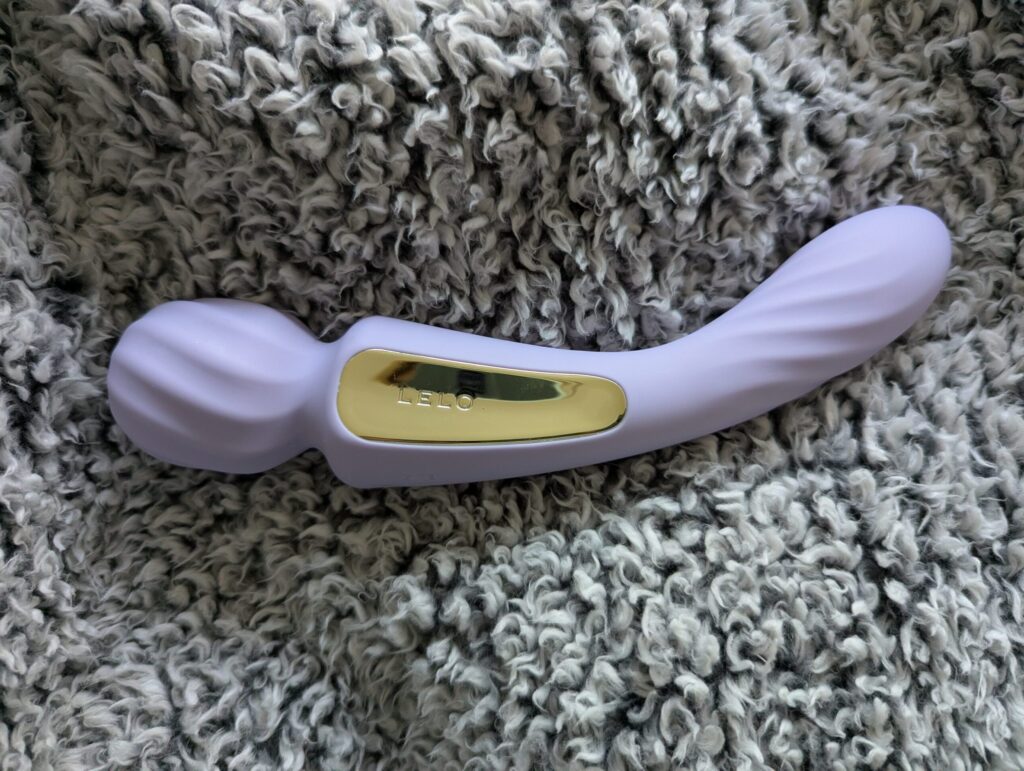
Simple, I found it reliable. No option to video chat however. It’s one of the easiest apps to use, but also one of the least informative. Score: 7/10.
Where To Get The App
Where To Buy The Toys
3. Lovense Remote App 2026 Review
The Lovense App is apparently the benchmark of long distance sex toy apps. When I said I was writing this post, this is the brand everyone raved about. I got hold of a Lovense Lush 4 Vibrating Love Egg and a Lovense Ferri panty vibe and downloaded the app with excitement. Would this absolutely revolutionise my life?
…Probably not. But it is a very good option.

App Quality
It looks good, if a little cluttered with features and adverts for the Lovense sales. Still, nothing that yells ‘dodgy’.

Setup & Connection
Again, you need to have an account and you can log in with your Google account, which I did. I haven’t had any marketing emails yet though, which is nice, although I have had push notifications about sales etc which I turned off.
Connection & Usability
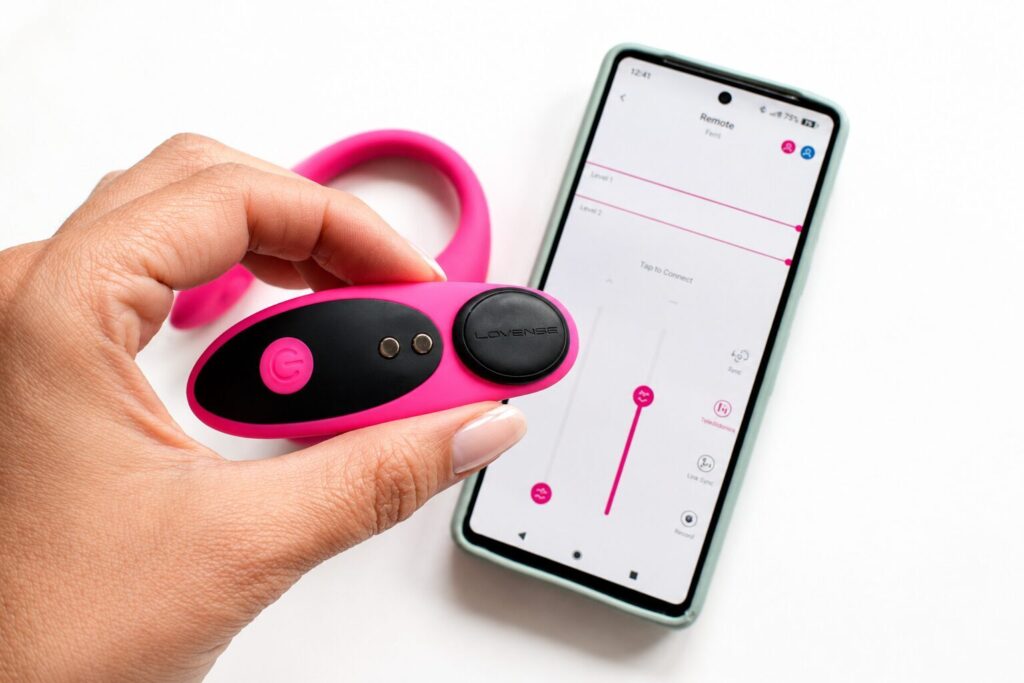
You have everything you need here: Instant, easy and stable connection, tick. No noticeable lag, tick. Partner control is smooth and responsive, tick – which is exactly what you want if someone is controlling it from another postcode.
It’s not the most intuitive app, for example connecting a partner means going via the chat part of the app. Once you get there though, it’s plain sailing.
Features
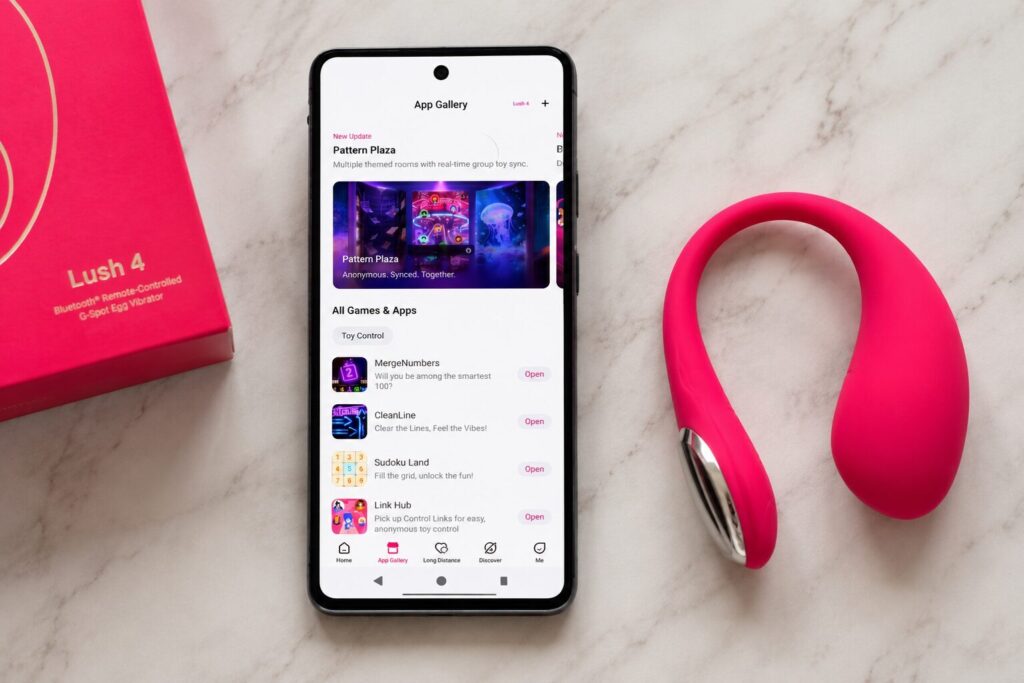
Lovense goes further than most, and there are a metric ton of features I will absolutely never touch including things like ‘AI Companion’ and the ‘Lovense Bond’ community forum, which appears to be full of bots strangers who are way too horny for my liking.
Some features of the app that I might realistically use include:
- Remote: So you can control your own toy/s without reaching for the buttons. Handy.
- Custom patterns: It might be nice to try some of the user-created patterns. You do you.
- Long Distance: You can do this anonymously with a completely stranger if that floats your boat, or obviously with your partner. You can control multiple toys at once, and you can sync with your partner’s toy.
- Interactive features: You can do kegel training, you can even set alarms to go off so your toy vibrates at certain times. Yes, you can be woken up by your vagina.
- Games (yes, really). You can play things like Tetris-style games where matching shapes triggers vibrations. It’s weird. But not entirely unpleasant. I’m currently aiming for a high score on MergeNumbers. But not in a sexual way.
Partner/Long Distance Control
Both users need to create an account to use the Lovense app, and then connect with each other through the built-in chat. To start using the toy remotely, one partner needs to initiate a remote session within that chat.
It’s not difficult, but it does involve a few more steps compared to some other apps.
Where Lovense stands out, though, is that you can video call directly within the app while controlling the toy at the same time. That’s a big advantage, as many other apps allow remote control but don’t include any way to communicate in real time other than text, or maybe a picture or voice note.
For couples, especially long distance, this makes the whole experience feel much more connected and interactive rather than just passing control back and forth, or having to use a third party app and potentially losing connectivity.
Verdict
It’s a shame it’s a little cluttered and ad-heavy, because the controls and the long distance part works really well. Sometimes, less is more and I don’t need gamified orgasms!

Still, if you’re serious about long distance control, this is the app that feels the most reliable. The toys are well made and it’s the easiest long distance brand to recommend of the ones we’ve tried. Score: 8.5/10
Where To Get The App
Where to Buy The Toy
4. We-Vibe App 2026 Review
We-Vibe, as the name suggests, is all about couples. With more couples than ever before being long distance, this app should really be something. Right?!

App Quality
First impressions are that the app looks good; no ads, no weird features. It’s simple and polished.
Setup & Connection
My favourite so far; the We-Vibe Connect App requires no email or sign up. Simply turn the Bluetooth on and connect the toy, admittedly this took a minute or two, and start playing.
The Nova 2 connected easier than the Chorus, which had additional instructions. You have to connect the Chorus via the remote, so both toy and remote must be in pairing mode. We got there in the end using this guide.

Controls & Usability
The We-Vibe Connect app has a really clean interface – you can see your toys their battery percentage, and you can control the intensity.
However although I could create my own patterns, I couldn’t access the patterns on the Nova 2; I pressed them and nothing happened. This has to be an annoying glitch. Even though I hate patterns, I hate things not working more.
Weirdly it worked fine for the Chorus.
Features
There are two: App control and Long Distance. And that, ladies and gents, is all you need (as long as they work).
Partner/Long Distance Control
To connect, you send your partner a link or QR code and they can then request control, and grant you control of their toy if they have one. As far as I can work out, you need to be in the app; if you leave and go to WhatsApp etc it’ll say you’re offline, so you should really use the inbuilt chat feature in which you can share pictures (but not video). Except that, I found, the chats don’t show unless you come out and go back in.
The toy turned on an off and changed intensity, but it didn’t do much and from the partner end, there isn’t much in the way of feedback. A bit of a damp squib overall.

Verdict
So much promise – but ultimately, it didn’t deliver and there were too many glitches to make it worth it. Sort it out! Score: 5/10
Where To Get The App
Where To Buy The Toy
5. Autoblow AI Ultra App Review
Finally – one for the men! The Autoblow AI Ultra does have app control. but it’s not quite the same as the others in this guide. It’s less about remote partner play and more about controlling a full machine that’s doing the work for you.
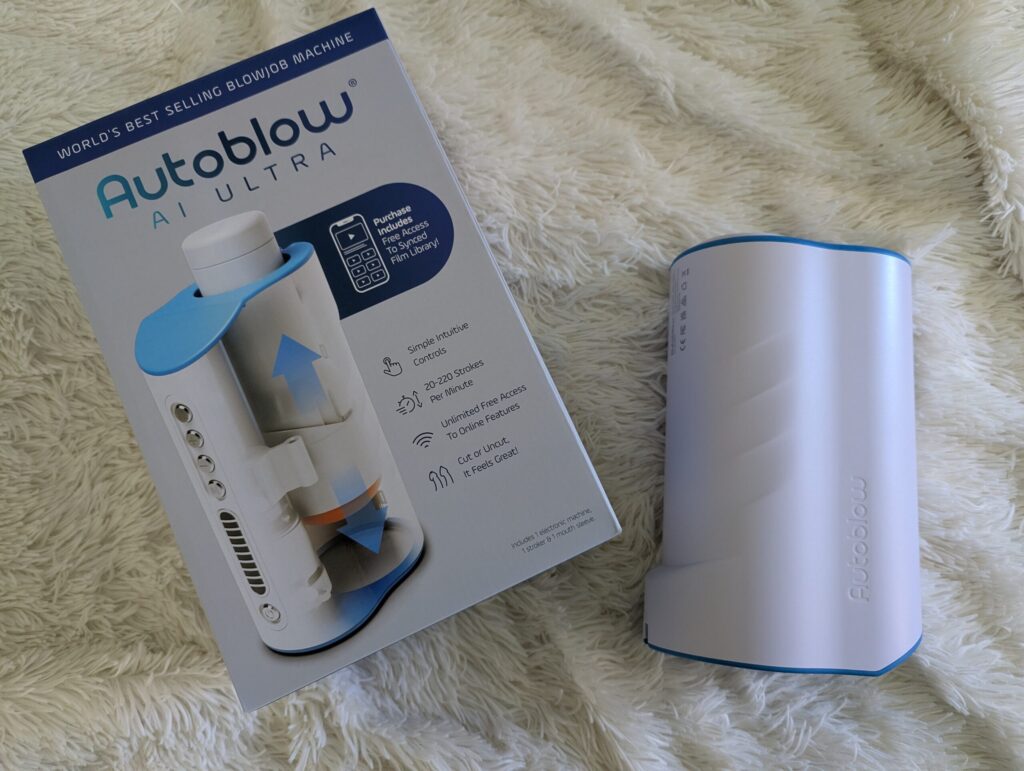
App Quality
The “app” is actually a web-based portal rather than something you download.
It’s fairly clean, easy to navigate, and doesn’t feel overly clunky, which is already better than some dedicated sex toy apps. There are ads, which is mildly annoying, but not enough to make it unusable.
It’s functional rather than beautiful, but it does what it needs to do.
Setup & Connection
You need to set up and connect your Autoblow AI Ultra before use but setup is surprisingly straightforward.
You connect the device to WiFi via a guided process, and once it’s online, you access everything through the web portal. No weird pairing issues, no repeated disconnects, no shouting at your phone.
Compared to some Bluetooth-based toys, it’s actually more stable, which is not something I expected to say.
Controls & Usability
This is where it works well.
You can control the speed and stroke depth, and it responds quickly, without lag.
It’s not overly complicated, which is a good thing. You’re not digging through menus trying to figure out how to make it do something basic.

Features
There’s quite a lot going on here, depending on how deep you want to go:
- Freestyle control (manual adjustment of speed and depth)
- Autopilot (pre-set “AI” patterns)
- Video sync library (movement matched to adult content)
- Upload your own videos
- AI chat / “girlfriend” feature (if that’s your thing)
- Remote control options
Some of this will appeal more than others. The core strength is the control itself, everything else feels like optional extras.
Partner/Long Distance Control
This is where it’s a bit different from toys like Lovense.
Yes, you can share control via a token and let someone else control the device remotely but it’s not really designed around long-distance intimacy in the same way. There’s no built-in video chat, and it feels more like handing over control of a machine than sharing an experience.
It works, but it’s not the main selling point.
Verdict
As an app-controlled toy, it’s solid but slightly unconventional. The connection is reliable as it’s via WiFi rather than Bluetooth, the controls are responsive, and it’s easy to use. But it’s not really competing with app-controlled couple toys, it’s more about enhancing a fully automated solo experience.
If you want something for long-distance play, there are better options.
If you want to control a machine that does the work for you, this does exactly that. Score: 6/10
Where To Get The App
Where To Buy The Toy
6. Svakom App 2026 Review
Svakom make lovely body-safe, premium toys which are also powerful. We have the CiCi+ 2 slimline heated rabbit vibrator.

App Quality
The app looks clean, with no adverts (there is a products tab to browse toys, but this isn’t pushed at you)
Setup & Connection
Bluetooth connection was straighforward; connect the toy with a long press of the button and play. There’s no need to register for local use or long distance; you only need to make an account if you want to access the community features.
Controls & Usability
Controls are responsive, and you can:
- Adjust intensity without cycling through every setting
- Control each motor independently
- Switch patterns directly (although the images don’t necessarily match up to the patterns!)
- Turn the lights and the heating function on and off
- Use touch or music/sound mode as well as manual
Features
- Products: Explore the full range of toys and accessories which you can buy directly in the app
- Play: Browse and enjoy interactive modes for your connected toys
- Blog: Read articles, guides, and tips on intimacy and wellness (not necessary, but fine)
- Me: Manage your account, saved modes, and personal settings.

Partner/Long Distance Control
You create a room, and share the ID with your partner. They go to join room, and put in the code to control your toy.
You can use buttons for Video Call, Touch Mode, Music Mode, and Custom Mode. You can also send messages and respond with emojis during use.
One thing I genuinely liked is that your partner doesn’t need to create an account to join a room, which removes a surprising amount of friction compared to some long-distance sex toy apps. You simply create a room, share the code, and get started fairly quickly.
However, the experience still isn’t completely seamless. If you want to control the toy while using video chat, you have to minimise the video window to access the controls properly, and occasionally the app glitched and the video stopped frozen.
There’s definitely a lot of potential here because the setup itself is refreshingly simple, but the app still feels slightly rough around the edges when multiple features are being used at once.
Verdict
This is a lovely clean app, which deserves high praise for being easy to use and not requiring registration. The toy is also premium, which puts it ahead of the Satisfyer, but the video call feature was a bit glitchy. Score: 8/10
Where To Get The App
Where To Buy The Toy
We have plans to review several more app-controlled sex toys, so please check back for updates!
7. Magic Motion App Review
The Magic Motion Vini is a wearable, vibrating love-egg which is worn internally and controlled via the Magic Motion app. One thing I immediately appreciated is that the Magic Motion app is straightforward to set up and connects instantly – and doesn’t require an email address or account creation just to use the toy. Hurrah!
App Quality
I would describe it as OK. The interface itself is fairly clean and easy to navigate, although the app insistently opening on the Music section by default every single time quickly becomes irritating, particularly as the only audio files on my phone are old voice notes no one is getting off to.

Setup & Connection
Easy peasy lemon squeezy – no need for accounts or logging in, simply connect and play.
Controls & Usability
Free control works well – set the vibration between 0 and 100. Personally, I found the ‘Free Control’ mode much more useful because it allows proper manual intensity adjustment and finer control over the vibration strength. As soon as you leave each mode, the device stops – even if you’re still in the app. But for basic connectivity and control, it’s fine.
Features
- Music sync
- Games, including ‘Drums’ mode, which lets you tap rhythms on your screen and ‘Bubble Bath’ remote interaction mode, and motion control
- Kegel training exercises
- Long-distance partner control (remote control) – invite your partner with a room code.
Some of this will appeal more than others. The core strength is the control itself, everything else feels like optional extras.

Partner/Long Distance Control
The partner control is easy to set up, but a bit lacking. You send a code, they access the code… And then they can control your toy. On the positive side, your partner doesn’t need an account and it responds quickly. If you’re in the same room and they can see physical feedback, then it may work well.
However, the toy disconnects if you leave the app to send a photo etc from your phone album, and there is no integrated video chat so I would not recommend it for long distance play as there isn’t a reliable way to deliver or get feedback on the app. Also, your messages disappear after the chat room closes, which may or may not be disappointing.
Verdict
Opening on the music function and no video chat, I really can’t give this one more than half marks despite a stable connection. Score: 5/10
Where To Get The App
Where To Buy The Toy
8. Love Spouse App (CalExotics) Review
The Connect Venus Butterfly from CalExotics promises ‘app-controlled pleasure’, so naturally I tried it out for this list.
Hoo boy.
App Quality
The Love Spouse app doesn’t feel particularly polished or professional. During testing I encountered untranslated Chinese notifications, confusing menus and a surprising amount of social-network style functionality that felt completely unrelated to controlling a sex toy.
Within a short period of installing the app I had video interaction requests from strangers; there are various default profile settings designed to make you discoverable to other users. No thanks.

Setup & Connection
Setup was far more complicated than it needed to be.
Unlike most modern sex toy apps, the Venus Butterfly requires a binding code before you can connect the toy. The problem is that this code wasn’t printed on the box or clearly explained in the instructions. Instead, it was hidden on a small card tucked underneath the packaging insert.
Once I’d found the code, I then had to bind the device, enter pairing mode and connect it through the app. Compared to the near-instant setup offered by Lovense, Svakom or even Magic Motion, the process felt unnecessarily complicated.
Controls & Usability
Once connected, if you can locate them then the sex toy controls themselves are fairly basic and easy enough to understand, so I guess they get points for that.
However, the overall experience is let down by missing information. There’s no battery percentage display, the connection indicator isn’t reliable, and when the toy started switching itself off I had no idea whether it had disconnected, run out of battery or simply stopped working.
It never felt particularly confidence-inspiring.

Features
The feature list is extensive, although not necessarily in a good way:
- AI chat
- Community features
- Public profiles
- Video interaction
- Virtual gifts
- VIP memberships
- Partner control
- Independent motor control
Unfortunately, the app feels more focused on social networking and upselling than toy control.
Partner / Long Distance Control
Technically, the app supports long-distance control and video interaction, however, I chose not to test these features.
After dealing with all of the above, I simply didn’t feel comfortable asking my partner to install the app on his phone, and deleted it very quickly from mine.
That’s perhaps the biggest criticism I can make. Long-distance sex toys rely on trust, and the Love Spouse app never earned mine.

Verdict
It’s possible that a fully functioning Venus Butterfly would have improved my experience, as I strongly suspect the external motor on my review sample was faulty, however the app experience was frustrating long before I even formed an opinion on the toy itself.
The Love Spouse app feels years behind competitors such as Lovense, LELO and Svakom. Setup is confusing, the interface lacks polish, and the social features feel intrusive rather than useful.
If app control is one of the main reasons you’re buying a toy, there are significantly better options available. Score: 2/10
Where To Get The App
Where To Buy The Toy
9. Monster Pub Monster Party App
Given that the Monster Pub website is, frankly, a bit of a fever dream, I was not expecting much from the app. Annoyingly for my cynicism, it was actually better than expected.
The Monster Party app was easy to set up, connected quickly, and gave me more useful control than the physical buttons on the toy itself.
App Quality
I would describe the app as surprisingly decent for toy control, but odd as an overall experience.
The actual control side works well. It shows battery percentage, includes a travel lock, lets you adjust the toy’s light, and gives you a 1-100 intensity slider in Draw mode.
However, the wider app experience is strange. There is a community section which feels like an unhinged Instagram full of people you never followed in the first place. I saw dinners, travel photos, selfies, giraffes and a woman called Linda who seemed to be having a lovely time. Weirdly, I didn’t see anything especially NSFW, which made it even funnier. For a sex toy app, it was remarkably wholesome. Less erotic playground, more “why is Linda here and what did she have for lunch?”
Thankfully, you don’t need to use the community section to control the toy.
Setup & Connection
Setup was refreshingly straightforward. I turned the toy on, opened the Monster Party app, went to add the toy, and it connected without much faff.
I did have to create a username, but it wasn’t connected to my email address, which I appreciated from a privacy point of view.
Controls & Usability
The physical buttons on the Monster Pub toys give you the basic modes, but the app gives you much finer control. In Draw mode, there is a slider that lets you adjust the suction intensity from 1 to 100 for each motor, which is the control you really want.
It isn’t the most obvious thing to find at first, but once you know where it is, it works well.
The toy also stayed connected while I was doing other things on my phone. I could leave the Monster Party app, check messages or use another app, and it didn’t immediately disconnect or throw a tantrum. That makes it much more practical than apps that demand your full attention like a needy Victorian ghost.
Features
- Various controls including 1-100 intensity control
- Battery percentage display
- Travel lock
- Light control
- User-created patterns
- Community section
- Long-distance partner control
Some of the extra modes feel more gimmicky than essential, but the core controls are good.
Partner/Long Distance Control
The free remote mode is also very odd. It was hard to add each other as the links didn’t work, and it had to be done via the friend page using each other’s user numbers (not names).
We got there eventually and it was downhill from there to be honest! You can’t just type normal messages to each other. Instead, the app auto-sends ‘sexy’ messages in broken Engrish and all you can do is respond with weird emojis.

If you want video chat, the app prompts you to pay using candies, with video chat costing 10 candies per minute. I did not test this because, frankly, I have no desire to pay mystery sex toy app currency just to video call my partner (who was sat next to me in bed).
This makes the long-distance side feel much less polished than Lovense. With Lovense, long-distance control feels like a proper part of the ecosystem. With Monster Party, it feels like the toy control works, but the social/partner side has been awkwardly bolted on with weird preset sexy phrases, emojis and in-app currency.
So yes, remote control is possible. We did get it working eventually. But it was not intuitive, the invite link didn’t work for us, we had to add each other by user number, there is no proper free chat function, and the video chat is locked behind a pay-per-minute candies system.
Verdict
As a local toy controller, the Monster Party app is much better than I expected. The connection was simple, the controls were useful, the toy stayed connected while I used other apps, and the 1-100 intensity slider made the Monster Pub Hulu feel far more customisable than it does through the physical buttons alone.
The community section is deeply odd, and some parts of the app feel chaotic, but you can mostly ignore the weird social extras and just use it to control the toy.
For long-distance couples’ play, however, it is annoying and nowhere near as smooth or reassuring as Lovense.
Score: 5/10 – Let down by long distance
Where To Get The App
Where To Buy The Toy
Which App-Controlled Sex Toy Is Best For Long Distance Couples?
For long-distance couples, I’d buy Lovense. The more app controlled sex toys I try, the more Lovense becomes the obvious choice.
The app is still the strongest I’ve tested, the toys are good quality, and unlike a lot of ‘app-controlled’ toys, the remote features are actually useful.
Choose the Lush 4 for internal stimulation, The Ferri panty vibe for external wearable play, or the Domi 2 wand if subtlety is absolutely not the objective.

Best App-Controlled Sex Toys for Different Situations
Best for public play (no video call needed): We-Vibe Chorus, Lovense Lush 4 and Ferri, LELO Tiani Twist
Best for beginners or lower budgets: Satisfyer Pro 2
Best for couples in the same room: LELO SONA 3 or We-Vibe Nova 2
Best for male sex toys: Autoblow AI Ultra, or Lovense toys.
Best for synced couple’s toys: Lovense – if you both own a toy, you can sync them together
Are App-Controlled Sex Toys Worth It?
Yes, but only if the app actually works, the connection is stable and you’re willing to spend a few minutes setting it up properly.
Both sex toys and the apps that control them have come on leaps and bounds over the past few years, so if you have a bad experience lurking in your past, it might be time to give them another try!
Buy the Lush 4 from Lovehoney. Use SEXTOYREVIEW20 at checkout for 20% off.
Related posts: